Ghibli Filter
Turn any photo into warm, hand-painted Ghibli-style art. Soft watercolor backgrounds, gentle light — and your subject still recognizable.
Echo AI is not affiliated with Studio Ghibli. Results are an original animation-inspired interpretation.
Your result will appear here.
Before & After
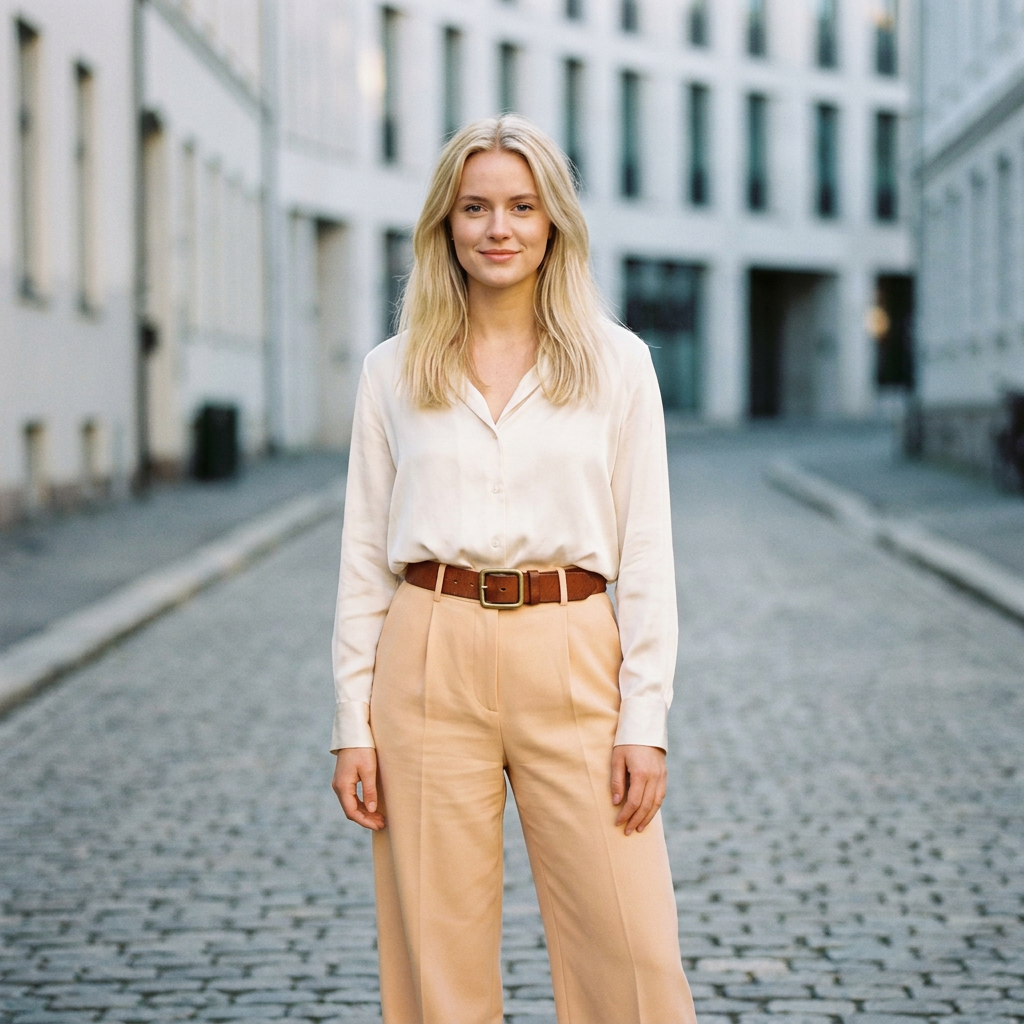 Before
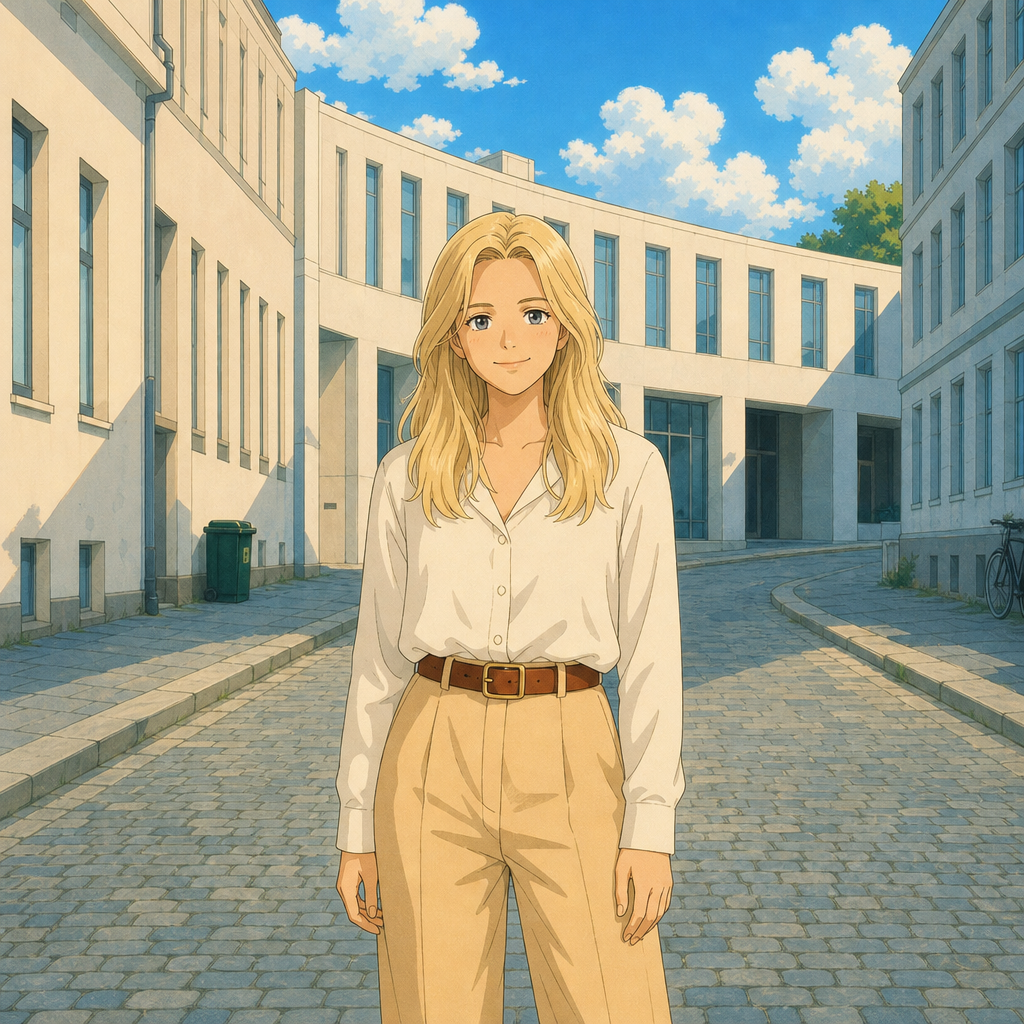 After
After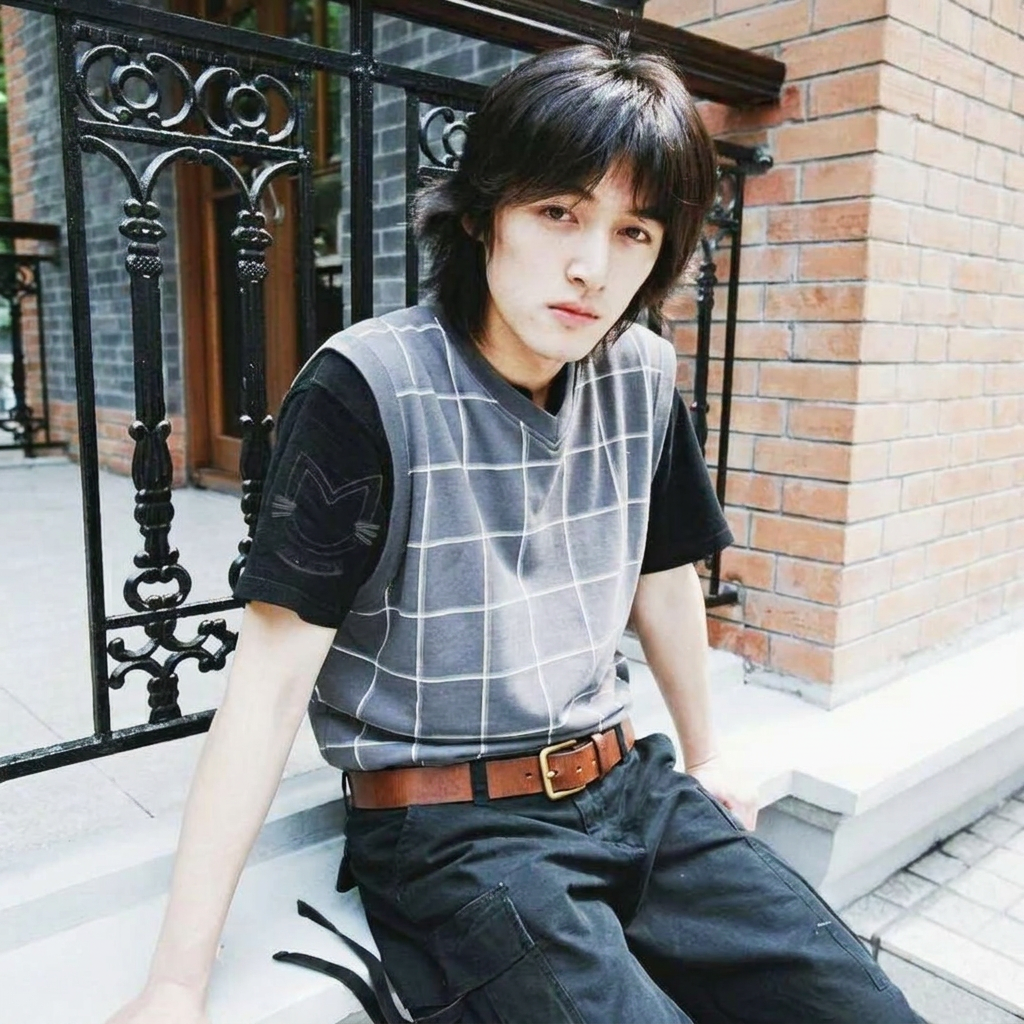 Before
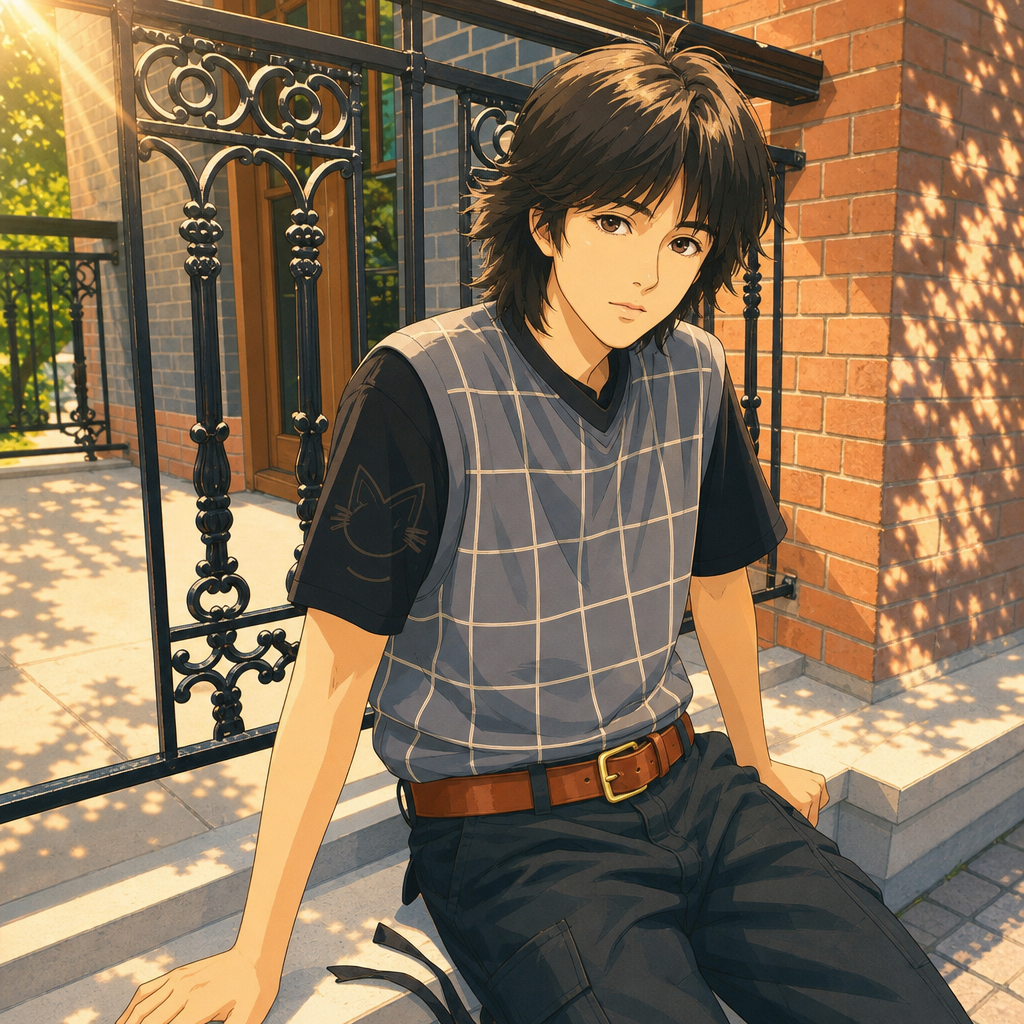 After
AfterWhy Choose Our Ghibli Filter?
Three scene moods
Countryside, Cozy, or Twilight — each preset sets the sky, light, and atmosphere of the painted scene.
You stay recognizable
Identity, pose, clothing, and composition are preserved. It repaints your photo — it doesn't replace it.
An original painted style
Expressive ink contours and watercolor-like backgrounds, without copying any copyrighted characters or scenes.
Free to try
Every new account gets 20 free credits — enough to try a few photos before you spend anything.
How to Use Our Ghibli Filter?
- 1
Upload your photo
Portraits, couples, pets, and landscapes all work — one clear photo is enough.
- 2
Pick a scene mood
Choose countryside, cozy, or twilight, and optionally describe the season, weather, or palette.
- 3
Generate and download
Preview your hand-painted scene and download the PNG. Try another mood any time.
What our users are saying
“Our engagement photo as a twilight painting is now framed in our living room. It still looks like us.”
“My corgi in the countryside mood is the best profile picture I've ever had. Ears perfectly intact.”
“I ran my Kyoto travel photos through the cozy mood and got a whole illustrated travel journal.”